How to keep invoices and receipts under control
Drop your invoices and invoice log into the workspace. The agent reads both, adds up what is open and turns it into an overview your team opens every day.
What you need
- Invoices as PDF (or scans)
- Your invoice log as CSV — client, date, amount, status
- Optionally your inbox via IMAP so new invoices arrive on their own
Step by step
- 01
Put the files into the workspace
Invoices in one folder, the log next to it. Both stay on a server in Germany — not in another cloud drive.
Say it like thisHere are our invoices and the log. Sort them by year and file them under finance/.
- 02
Ask where things stand
No formula building: you ask the question you would ask a person. The agent reads the files and does the arithmetic.
Say it like thisWhich invoices are overdue, and how much is outstanding in total?
- 03
Build the overview as a mini-app
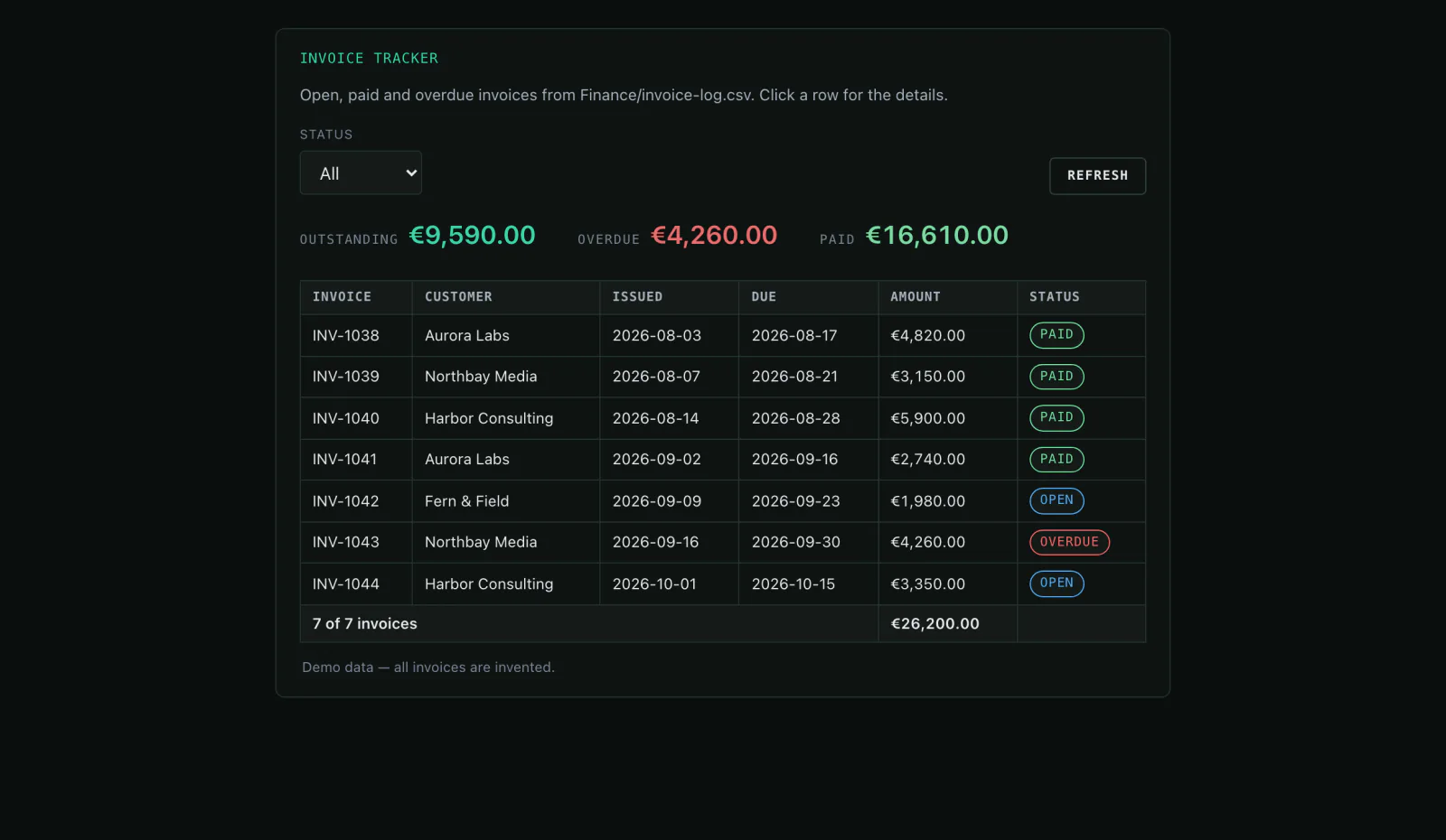
Instead of a table in the chat you get a small tool: open, paid and overdue invoices with status filters and totals. Your team opens it in the browser.
Say it like thisBuild me an invoice overview with status filters and totals per client.
- 04
Have it remind you
So you do not have to check every week: a schedule that reviews open items on Monday and tells you.
Say it like thisRemind me every Monday about overdue invoices and name the three oldest.
Variations
- Which clients have more than two open invoices?A list with the total per client.
- Write a payment reminder for RE-1043.A PDF in the workspace, ready to send.
- How did payments develop month by month?A table with the change from last month.
What it is not
Mitarbot does not replace accounting or a tax adviser. It reads, calculates and prepares; booking stays with you or your accountant.
Common questions
Are my invoices used to train models?
No. The files stay in the workspace on German servers and are not used for model training.
Can the agent write reminders?
Yes, as a PDF in the workspace. Send it through a connected inbox or download it yourself.
What happens when I delete the workspace?
Files, chats and backups are deleted with it.
Might also fit
Invoices in one browser tab instead of five spreadsheets.
Open the live demo and browse the prepared invoice data — no account needed.