How to have the Monday report written for you
Revenue files, project status, open tasks: the agent reads the sources, calculates the numbers and writes the report. Every Monday at 8 if you want.
What you need
- Your numbers as CSV or XLSX
- One or two sentences about what the report should contain
- Optionally an email to your team when the report is ready
Step by step
- 01
Put the sources in
CSV, XLSX or exports from your tools — the agent reads them straight from the workspace.
Say it like thisHere are the revenue files and the project status. File them under finance/ and projects/.
- 02
Describe the report
What should it contain, for whom, how long? One sentence is enough; you can refine it in the chat later.
Say it like thisWrite a weekly report: revenue per region, change from last week, three things that need attention.
- 03
Set the schedule
Saved once as a recurring job, the report runs on its own. The workspace is started automatically for it.
Say it like thisRun the report every Monday at 8 and write it to reports/week.md.
- 04
Refine after the first run
After the first run you see what is missing. Say it in the chat — it changes the template and the next run uses it.
Say it like thisAdd the three biggest deviations and cut the rest to five sentences.
Variations
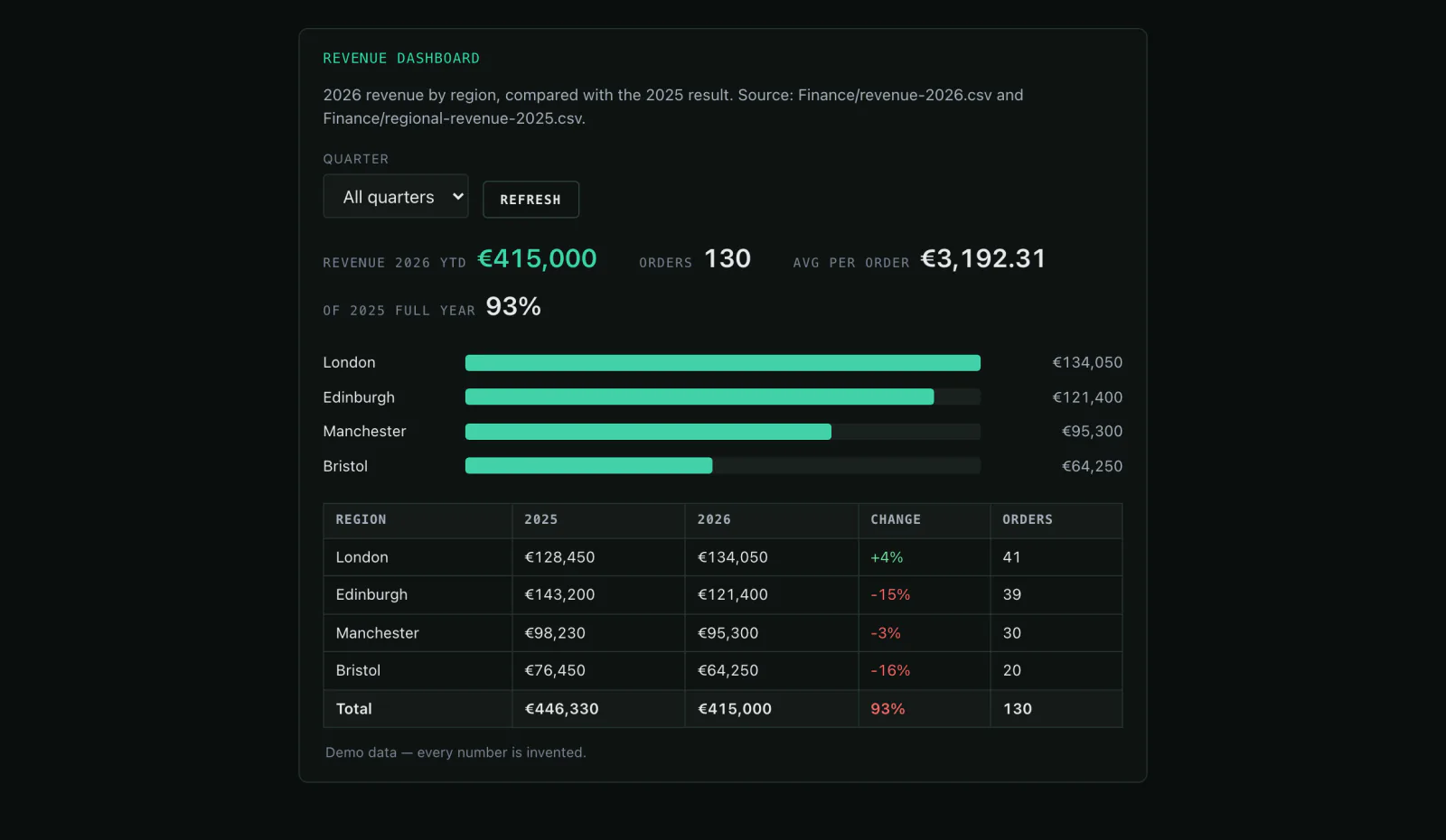
- What was revenue this week per region?A table with the change from last week.
- Send the report to the team.An email notification to your team.
- Turn the dashboard into a mini-app.Filters and totals in the browser, no spreadsheet.
What it is not
The numbers come from your files. If the source is wrong, the report is wrong — Mitarbot computes what you give it and does not invent values.
Common questions
What does a run cost?
Only the tokens and compute it actually uses. A budget cap per run prevents surprises.
Can I have several reports?
Yes — per team, per client or per week, each with its own schedule.
Can the report arrive by email?
Yes. A scheduled run can email your team directly; sending it to people outside your team goes through your connected inbox.
Might also fit
The report is done before you would have started it.
Look at the dashboard and the schedule in the live demo.